Virtual conference instructions
How to watch your virtual conference presentations
1. Login to the Clinical Edge website at https://www.clinicaledge.co

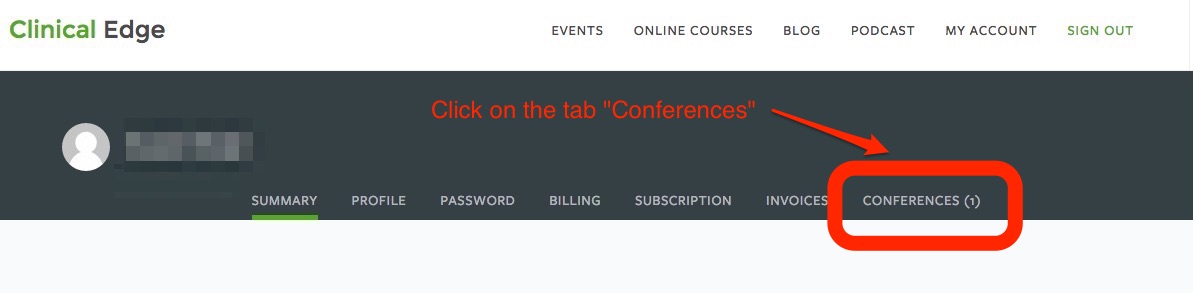
2. Click on the Conferences Tab in your Login
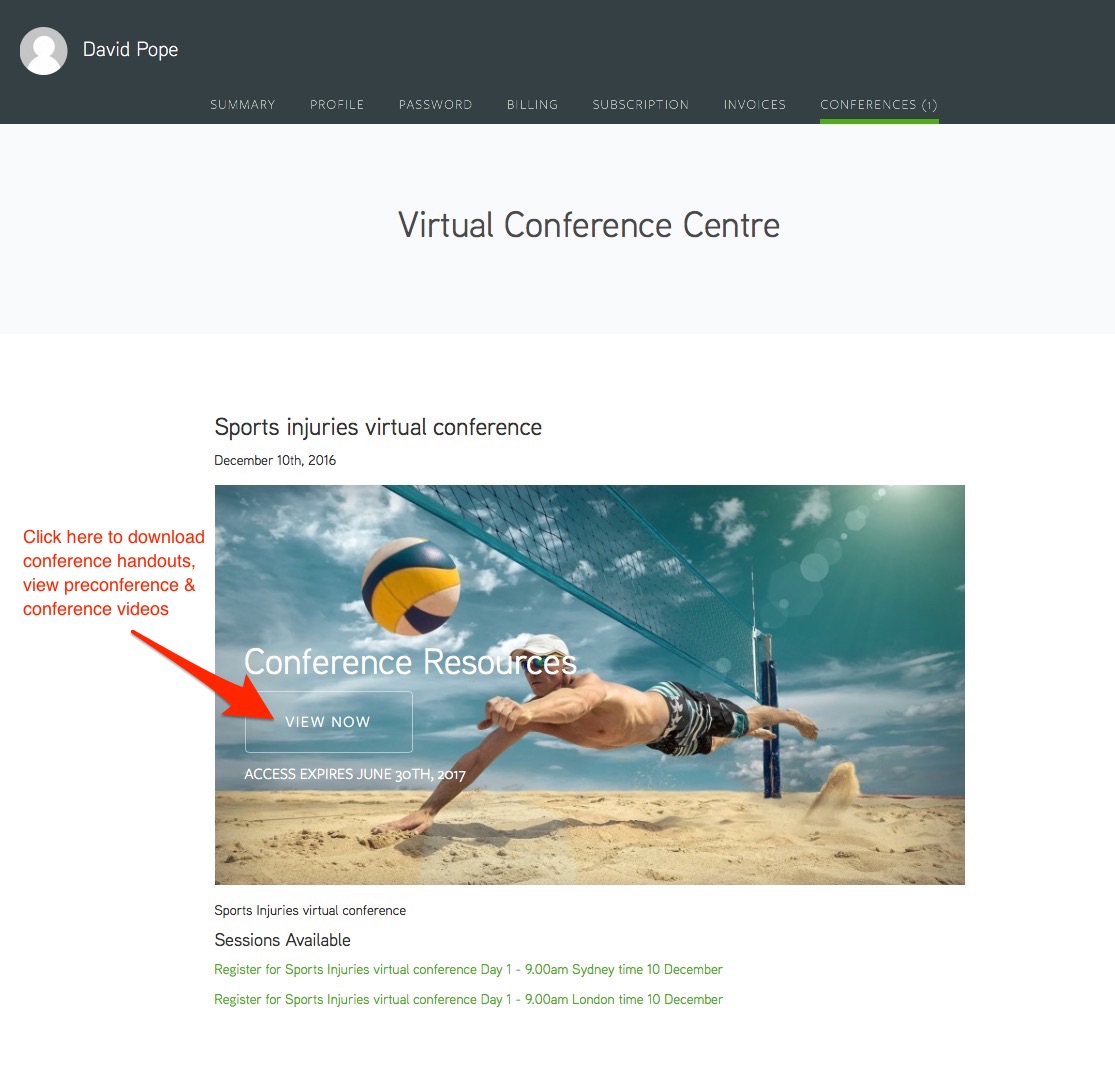
3. Download your conference handout or choose View Now to watch the presentations
The video below will take you through how to watch the conference presentations and download your handouts and audio files.